Information Technology Resources
MSMU account management
Your key to accessing computer services and electronic resources at MSMU.
-.jpg)
Manage your account
Activate your account, update your security info including multi-factor authentication methods, review your connected devices or update your privacy settings.
.jpg)
Reset your password or unlock your account
Unable to login? Gain back access to your account or change your password using the link below.
.jpg)
Self-service proxy
Students can use self-service proxy to grant a parent or another person access to specific self-services sections you authorize.
Connecting to the MSMU wireless network
IT Service Desk phone & online assistance
In need of assistance? For our Mount community members, please contact the IT Service Desk at 213.477.2970, or visit our Online Help Desk.
Call-In Help Desk hours:
Monday-Thursday: 8:00 a.m. - 6:00 p.m.
Friday: 8:00 a.m. - 4:00 p.m.
Saturday: 8:00 a.m. - 1:00 p.m. (excluding holiday weekends)
Sunday: 8:00 a.m. - 1:00 p.m. (only weekend college/grad weekends which are 6 weekends per semester)
Walk-in locations and hours of operation
Doheny campus - Media Center & walk-in help desk
Hours:
Monday-Thursday: 8:00 a.m. - 8:00 p.m.
Friday: 8:00 a.m. - 3:30 p.m.
Saturday-Sunday: 7:30 a.m. - 6:00 p.m.
Location:
Building 3, Room B104
10 Chester Place, Los Angeles, CA 90007
Phone:
213.477.2647
Chalon campus - Media Center & walk-in help desk
Hours:
Monday-Thursday: 7:00 a.m. - 9:00 p.m.
Friday: 7:00 a.m. - 4:30 p.m.
Saturday-Sunday: 10:00 a.m. - 4:30 p.m.
Location:
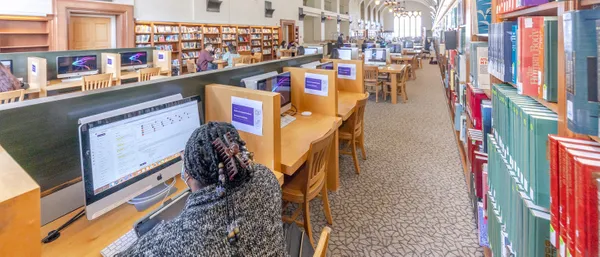
Coe Memorial Library, 2nd Floor
12001 Chalon Road, Los Angeles, CA 90049
Phone:
310.954.4380
Public IT help form
Not a Mount faculty, staff, or student? Use our public form to submit a technology help request to the IT department.